Authenticated encryption
Payload chunks are encrypted with XChaCha20-Poly1305 in STREAM-BE32 mode. If a header or payload byte is modified, decryption stops with a typed authentication error instead of producing plaintext.
FerroCrypt is a free, open-source desktop app that encrypts files and folders with a passphrase or an X25519 key pair. It runs locally, and the file format is documented byte for byte.
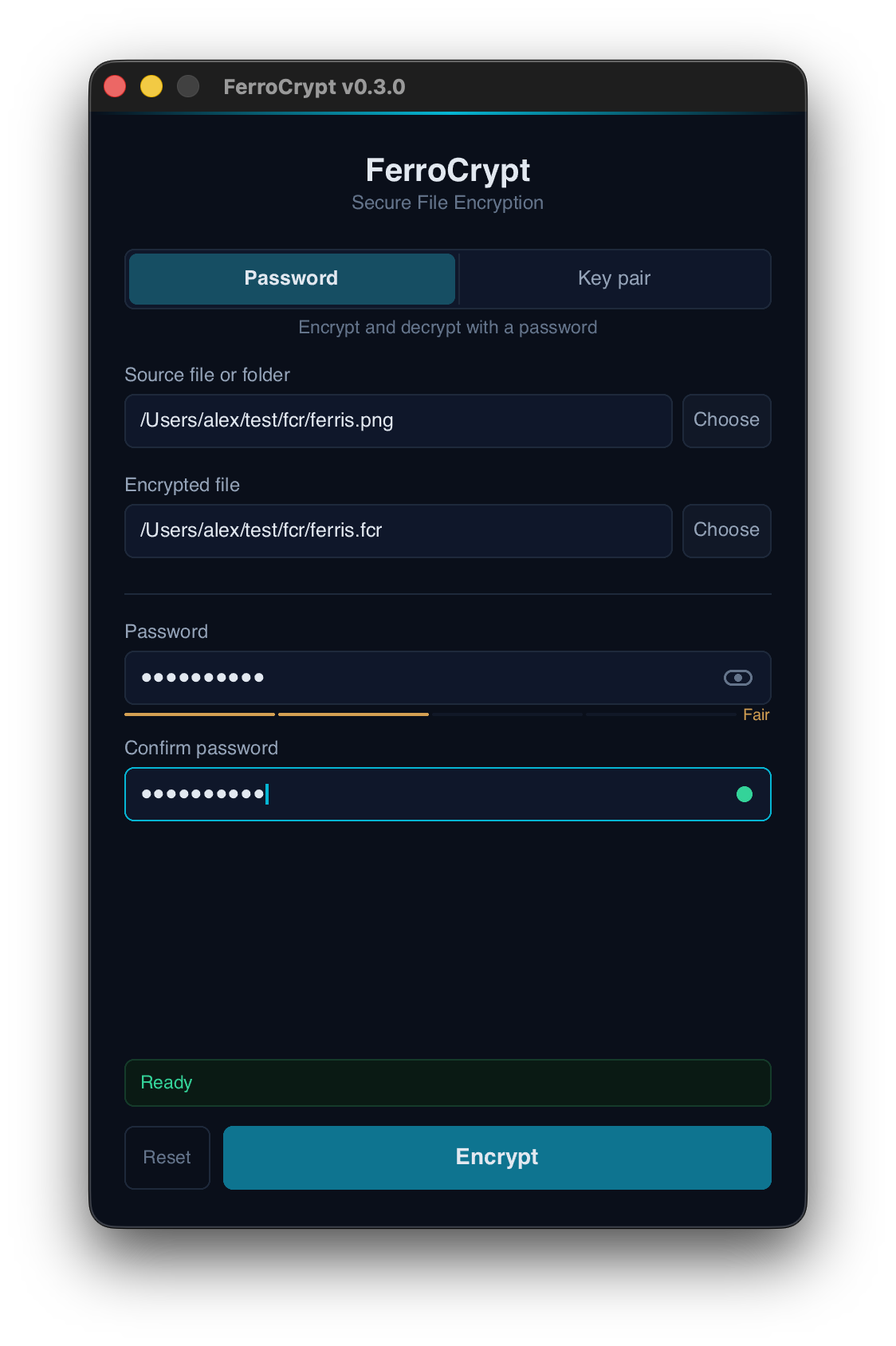
FerroCrypt covers encrypt and decrypt for both passphrase and key pair modes, plus key generation. Click a tab to see the screen for each step.
One job: encrypting files and folders so only the intended reader can decrypt them. Below is what the app does and how it behaves.
Payload chunks are encrypted with XChaCha20-Poly1305 in STREAM-BE32 mode. If a header or payload byte is modified, decryption stops with a typed authentication error instead of producing plaintext.
Encrypt with a passphrase (Argon2id) or with one or more X25519 recipient public keys. Both modes write the same .fcr file format; the receiver does not need to know which was used.
Encrypts a single file or an entire directory. Large inputs are processed in chunks, so memory usage stays flat. Directories are packed into the FerroCrypt Archive (FCA) format inside the encrypted payload.
No accounts, no telemetry, no network access during encryption or decryption. Plaintext, passphrases, and private keys are read and written only on the local machine.
Uses RustCrypto primitives and does not depend on OpenSSL. The library is annotated #![forbid(unsafe_code)]. Directory extraction is anchored to cap-std capability handles that refuse symlinks at every step.
A single .fcr file can be encrypted to several X25519 public keys at once; any matching private key can decrypt it. Public keys can be shared as fcr1… recipient strings.
The ferrocrypt library does the encryption. The desktop app and the ferrocrypt-cli command-line tool are two frontends on the same library. All three read and write the same .fcr file format.
Encrypted output and generated key files are written to a staged path first, then moved into place. A failed decrypt never writes to the final output path; partials can be retained for inspection if requested.
Both modes write the same .fcr file. On decrypt, FerroCrypt reads the recipient list from the file header and selects the right mode automatically — the file name and extension are not consulted.
The same passphrase encrypts and decrypts the file. Argon2id stretches the passphrase into the key-wrapping key. Typical use: encrypting data only you need to read again.
Encryption uses one or more X25519 recipient public keys. Decryption uses the matching password-protected private key. Typical use: sending encrypted data to someone else, or to several recipients at once.
The on-disk format is documented in FORMAT.md. Every byte of a .fcr file is either authenticated metadata or encrypted payload.
The ferrocrypt library is annotated #![forbid(unsafe_code)] — no raw pointers, no FFI, no exceptions.
cap-std capability handles refuse symlinks at every step. On Windows, NTFS reparse points are rejected explicitly.
Files stage to .incomplete first. Final renames refuse to overwrite. Failed decrypts leave no plaintext at the target path.
Wrong credentials, tampered files, truncation, KDF caps — each surface as a distinct error so applications can respond correctly.
Pre-built desktop packages for macOS, Linux, and Windows are on the GitHub Releases page.
.app · Apple silicon & Intel
On first run, allow it from Privacy & Security.
Download.deb · .rpm · AppImage
Built for Debian/Ubuntu, Fedora/RHEL.
Download.msi installer
Signed installer · x86_64.
DownloadThe desktop app and the command-line tool are both built on the ferrocrypt Rust library. You can install the CLI for scripts, or use the library directly from Rust code.
cargo install ferrocrypt-cli# Encrypt a file with a passphrase ferrocrypt encrypt -i secret.txt -o ./out # Generate a key pair, encrypt for it ferrocrypt keygen -o ./keys ferrocrypt encrypt -i secret.txt -o ./out -k ./keys/public.key # Decrypt with the matching private key ferrocrypt decrypt -i ./out/secret.fcr -o ./plain \ -K ./keys/private.key
cargo add ferrocryptuse ferrocrypt::{encrypt, decrypt};
// Encrypt a file with a passphrase
encrypt::passphrase(
"secret.txt",
"./out",
passphrase,
)?;
// Decrypt with credentials chosen by the file
decrypt::run("./out/secret.fcr", "./plain", &creds)?;